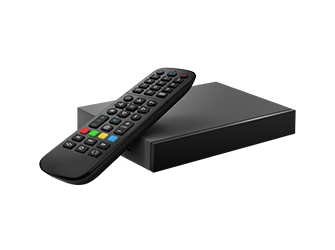
MAG540w3
Linux · 4K HD
Superior 4K playback, quick navigation and a reliable connection. The steadiest option for households that leave live TV running all evening.
 24/7 bilingual Canadian support
 Activation in under 10 minutes
A dedicated IPTV box is not compulsory — NordikTV runs perfectly on the smart TV or phone you already own. But a purpose-built device gives the living room a permanent, instant front door with faster channel switching and fewer surprises. Here is how the options compare.
The current generation of 4K Android and Linux boxes delivers fast performance, stable connectivity and genuinely crisp picture quality on any modern television. They set up in minutes, need no technical knowledge and handle live TV, films, series and on-demand content without lag.
Pair any of these with a NordikTV subscription and your television becomes a gateway to 16,200+ channels.

NordikTV does not sell hardware. These are the units our support team sees succeed most often in Canadian homes.
Linux · 4K HD
Superior 4K playback, quick navigation and a reliable connection. The steadiest option for households that leave live TV running all evening.
Linux · 4K HD
4K resolution with HEVC decoding and built-in Wi-Fi. Very easy setup and the most forgiving unit on a congested home network.
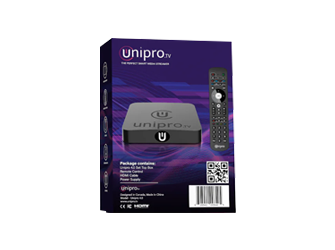
Android · 4K
Dual-band Wi-Fi, full Android OS and high-performance hardware. Choose it if you also want apps beyond IPTV.
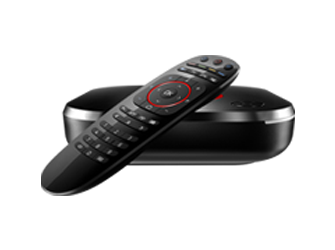
Android · 4K HDR
HDR streaming, voice control through Google Assistant and access to a full app store. The most capable option for advanced users.
Choosing is easier once you compare operating system, performance and setup difficulty side by side. Android brings flexibility and app support; Linux prioritises stability and fast navigation.
| Model | OS | Quality | Performance | Key features | Best for | Setup |
|---|---|---|---|---|---|---|
| MAG540w3 | Linux | 4K HD | Fast & reliable | Quick navigation, stable OS | Daily viewing | Very easy |
| MAG544w3 | Linux | 4K HD | Very stable | HEVC support, built-in Wi-Fi | Smooth streaming | Very easy |
| UNIPRO 4.0 | Android | 4K | High performance | Dual-band Wi-Fi, Android OS | Flexible streaming | Easy |
| 4K HDR Android box | Android | 4K HDR | High performance | Voice control, app store | Advanced users | Easy |
| LG / Samsung smart TV | WebOS / Tizen | 4K | Depends on set | No extra hardware needed | Keeping it simple | Very easy |
| Amazon Fire TV Stick | Fire OS | 4K | Good | Portable, cheap | Second rooms, travel | Moderate |
Every device above runs IBO Player. Installation for each is covered in the setup guide.
No technical knowledge required. Follow the prompts on screen and you will be watching in a few minutes.
HDMI cable into TV and box. Plug in the power adapter. Switch the TV to the correct HDMI input and wait for the welcome screen.
Choose Wi-Fi or Ethernet, enter the Wi-Fi password if prompted, wait for the connection to confirm and allow any system update.
Open IBO Player from the home screen, add your NordikTV line through the portal, and let the channels and on-demand content load.
Set video quality to HD or 4K, adjust audio, add favourites and test a handful of channels to confirm smooth playback.
Power on and the channel list is already there. No app-switching, no waiting for a smart TV to wake up its operating system.
No technical headaches. Modern boxes arrive pre-configured for roughly a two-minute setup.
Reputable retailers offer a two-year warranty on these units, which is longer than most smart TV app support windows.
Canadian retailers ship these models nationally with tracked delivery, usually in two to five business days.
A set-top box paired with a NordikTV plan turns an ordinary television into a multilingual entertainment hub. English programming, Punjabi music, Hindi serials, Urdu culture, Bengali cinema, Gujarati theatre, Nepali film and Marathi drama all sit behind the same remote.
The picture stays crisp. Live sport and news arrive without lag. And the arithmetic against a cable bill is not close: an entire year of NordikTV costs less than one month of a typical Canadian television package.
Tamil entertainment, Telugu cinema, Malayalam programming, Kannada devotionals and Sri Lankan television round out the catalogue — genuinely something for every member of the household. Browse it all on the channel lineup page.
Start for CA$10.99
No. IBO Player installs directly on LG and Samsung smart TVs, Android phones and tablets, iPhone and iPad, Fire TV Stick, Windows and macOS. A dedicated box is a convenience upgrade, not a requirement.
We do not. We sell the subscription only, and we recommend hardware honestly because we have no margin riding on the answer. Buy from any reputable Canadian electronics retailer.
If the box will only ever run IPTV, pick Linux: fewer moving parts, faster boot, less to go wrong over three years. If you also want apps, games or a browser on the same device, pick Android.
Yes. Your line is tied to your account, not to a specific box. Register the new device's MAC and key on the IBO portal and message support so we can release the old one. Full instructions are in the setup guide.